Cocina — recibir y surtir pedidos
Cuando los huéspedes empiezan a hacer pedidos (desde el chat o desde la SPA), el personal necesita una pantalla para atenderlos. Esa pantalla es Kitchen (Cocina).
Dónde encontrarla
wp-admin → Kitchen (elemento principal con el ícono de portapapeles, posición 59, justo después de Menu Manager).
La ven:
- Administradores — ven todas las propiedades
- Propietarios del listado — ven sus propios listados
- Personal asignado — cualquier persona con una fila en
wp_hilucy_listing_staffpara un listado ve automáticamente los pedidos de ese listado. Agrega personal desde la pantalla de edición del listado → caja Staff.
Si un huésped pertenece a una propiedad que no administras, simplemente no verás sus pedidos. No se necesita ningún rol especial.
El tablero
Cinco columnas, de izquierda a derecha:
┌────────┐ ┌────────────┐ ┌─────────┐ ┌─────────────────┐ ┌───────────┐
│  New   │ │Acknowledged│ │ In prep │ │Out for delivery │ │ Delivered │
└────────┘ └────────────┘ └─────────┘ └─────────────────┘ └───────────┘
(Nuevo, Confirmado, En preparación, En camino, Entregado.)
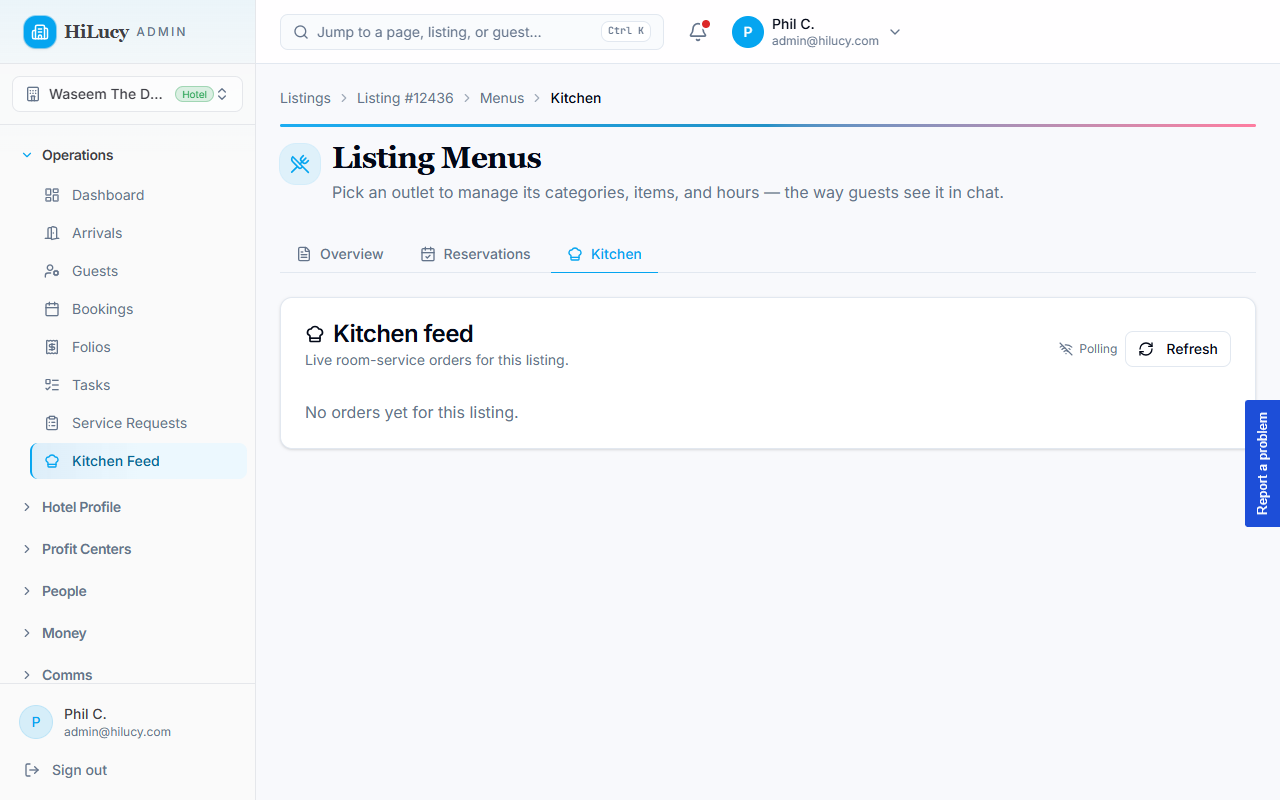
Los pedidos cancelados se agrupan en una sección desplegable "Cancelled today" debajo del tablero, para que el tablero activo se mantenga enfocado.
Cada tarjeta muestra el número de pedido, el nombre y la habitación del huésped, los platillos, el total, cuánto tiempo lleva y las notas del huésped. El botón principal de cada tarjeta la mueve una columna a la derecha; un enlace secundario "Cancel" te pide un motivo.
Sonido con pedidos nuevos
Un pequeño interruptor en la barra de herramientas, "Sound on new orders", suena un pitido corto cuando llega un pedido nuevo. El ajuste es por navegador (localStorage), así que la tablet de la cocina puede tenerlo activado mientras una laptop de la oficina con la misma página se queda en silencio.
El pitido solo suena cuando un pedido entra a New, no con cada cambio de estado, así que es una señal real y no ruido.
Actualizaciones en vivo en varias tablets
El tablero se actualiza solo cuando un compañero en otra tablet mueve un pedido. No hace falta recargar. Cada tablet mantiene una conexión SSE abierta con el servidor de WordPress y se reconecta sola si la conexión se cae (por ejemplo, cuando falla el WiFi de la cocina).
Si ves algo desactualizado, usa Refresh en la barra de herramientas, que vuelve a cargar todo desde cero.
El motivo de cancelación importa
Cuando cancelas un pedido, se te pide un motivo. Lo que escribas se le muestra al huésped en el hilo del chat o en la página /orders, con el prefijo "Cancelled — ". Algunas convenciones útiles:
- Sin existencias — "Hoy se nos acabó la mezcla para mojito, lo sentimos."
- Cocina cerrada — "La cocina cerró a las 11; el pedido llegó tarde."
- No pudimos entregar en la habitación — "Tocamos tres veces y nadie abrió."
La cancelación además hace automáticamente lo siguiente:
- Anula las filas vinculadas de
wp_folio_itemspara que baje el total del folio. - Emite un reembolso en Stripe si el pedido se cobró con un PaymentIntent individual (el camino alterno cuando no había folio abierto). Los pedidos cargados al folio no necesitan llamada a Stripe: la preautorización simplemente se liquida por menos al cerrar el folio.
Si el reembolso falla (una falla de red, una tarjeta vencida, etc.), la
cancelación sí se aplica: el pedido queda cancelado y los platillos
anulados, pero se emite un evento room_service.order.refund_failed al
flujo de observabilidad para que le des seguimiento manual en el panel
de Stripe.
Qué ve el huésped cuando haces clic
Cada cambio de estado hace que Lucy envíe un mensaje al mismo hilo de chat que el huésped usó para pedir, solo en los cambios que le importan al huésped:
| Clic | Lucy publica |
|---|---|
| Acknowledge | (nada — es un traspaso interno) |
| Start prep | "Your [items] is being prepared — I'll let you know when it's on the way." |
| Out for delivery | "On the way to [room] now." |
| Mark delivered | "[items] delivered. Enjoy!" |
| Cancel | "I had to cancel that order. Reason: [your reason]. You haven't been charged." |
Los huéspedes de WhatsApp ven los mismos mensajes la próxima vez que abren el chat. Los huéspedes del chat web los ven en tiempo real.
Cuando algo sale mal
- El tablero muestra "Failed to load orders" — probablemente tu sesión expiró. Recarga wp-admin y vuelve a iniciar sesión.
- Un pedido no aparece en tu tablero — confirma que el
listing_iddel pedido corresponda a un listado que administras. Si puedes administrar el listado en Menu Manager pero no en Kitchen, puede faltar la fila de personal del listado: revisa la pantalla de edición del listado → caja Staff. - El tablero nunca se actualiza sin recargar — tu navegador puede estar bloqueando SSE detrás de un proxy corporativo. El respaldo de consulta cada 60 segundos te mantiene razonablemente al día; recarga a mano para ver cambios más rápido.
Trazabilidad
Cada cambio de estado escribe una fila en la columna JSON
status_history del pedido con {status, ts, by_user_id, note}. Para
ver la línea de tiempo completa de un pedido, ábrelo en la tarjeta del
personal o consúltalo directamente:
SELECT id, status_history FROM wp_hilucy_menu_orders WHERE id = 123;
Ese mismo historial alimenta la línea de tiempo que el huésped ve en su
página /orders.