The Guest Chat App
The chat app at /chat is the guest's front door to their stay. It's where they ask Lucy anything, browse what the property offers, book experiences, and check their folio, all in one conversation that follows them across the trip.
Lucy and the home screen
At the top sits Lucy, the AI concierge, with an online indicator. If the guest has a card on file, its last four digits show in the header so they know payments are set up.
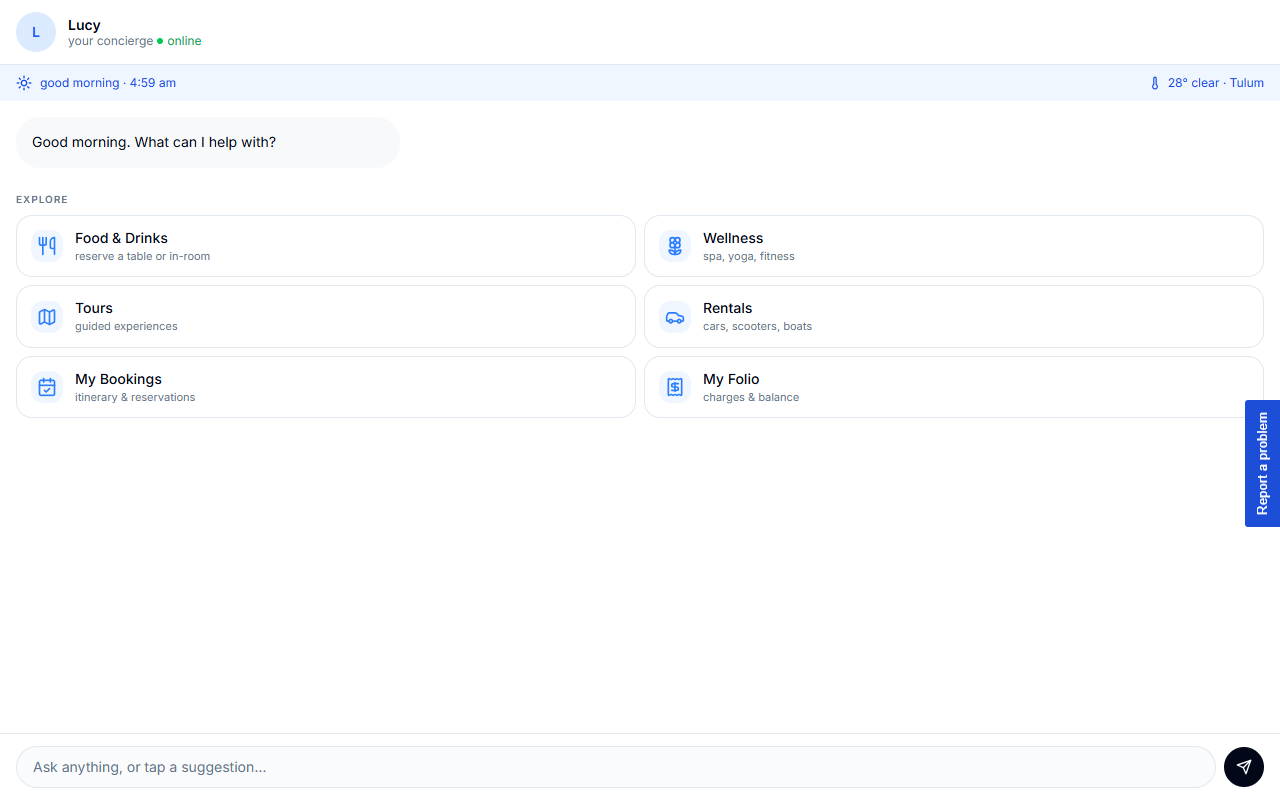
Below Lucy is an "Ask anything" input. If your property has switched it on, the EXPLORE menu sits below that too. The guest can type a question, or tap a tile to jump straight into a task without typing.
The EXPLORE menu
EXPLORE is off by default. You switch it on per property in Property → Guest Chat. When it is on, it offers up to seven shortcuts:
| Tile | What it opens | Can you hide it? |
|---|---|---|
| Food & Drinks | Tables and in-room dining | Yes |
| Wellness | Spa, classes and treatments | Yes |
| Experiences | Tours and on-property activities | Yes |
| Rentals | Your fleet | Yes |
| Transportation | Transfers and shuttles | Yes |
| My Bookings | The guest's itinerary and reservations | No, always shown |
| Charges | Room charges and balance | No, always shown |
A tile also stays hidden when your property has nothing to offer behind it, so guests never open an empty view. My Bookings shows as a bar above the grid rather than as a tile. Tapping a tile opens that view in place; the guest can always return to the home screen. Anything they can do by tapping, they can also just ask Lucy for in plain language. See Booking Through Chat for how those flows complete.
On mobile: the launcher
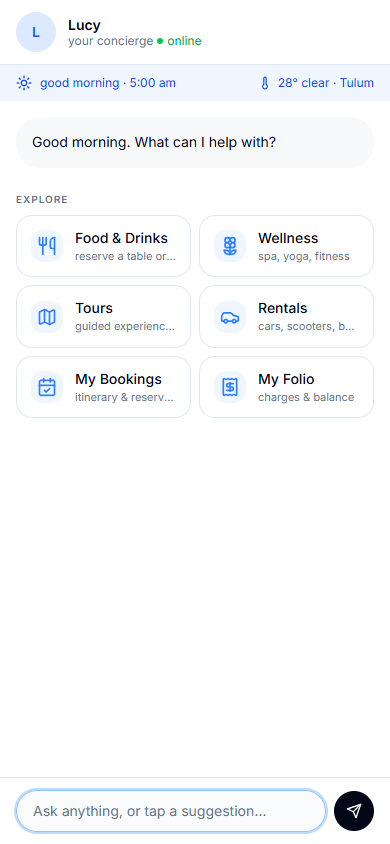
On a phone, chat behaves like a full-screen messaging app rather than a cramped popup. Opening the chat lands the guest on the home view without popping the mobile keyboard, so they see Lucy and the EXPLORE menu first and aren't forced to type. The keyboard appears only when they tap into the input themselves.
Signing in keeps your conversation
A guest can start chatting before they sign in. When they do sign in, HiLucy claims that anonymous conversation for their account so nothing is lost, even if they never send another message. A few things follow from this:
- Your history follows you across the device. The conversation you built up before signing in becomes yours the moment you authenticate, and it's saved to your account, not just the browser.
- Re-login restores it. Because your history is tied to your account, returning and signing in again brings it back, regardless of which device you're on.
- Logging out on a shared device starts fresh. When you sign out, the device forgets your conversation and the next person starts a brand-new thread. Your history isn't gone; it's on your account and comes back when you log in. It just won't leak to whoever uses the device next.
This is why a guest who chats on the lobby tablet, signs in, and later opens chat on their own phone sees the same conversation, while the next visitor to the lobby tablet starts clean.
Getting there
The chat app is at /chat. It works signed in or anonymous; signing in is what turns a browsing session into a saved, account-scoped conversation.